ERP and CRM are terms everyone keeps hearing in the digital world. With so many tools and systems available, it is natural for business owners to feel confused about which one actually fits their needs. Both are important, but they solve very different problems.
A Simple Analogy to Understand the Difference
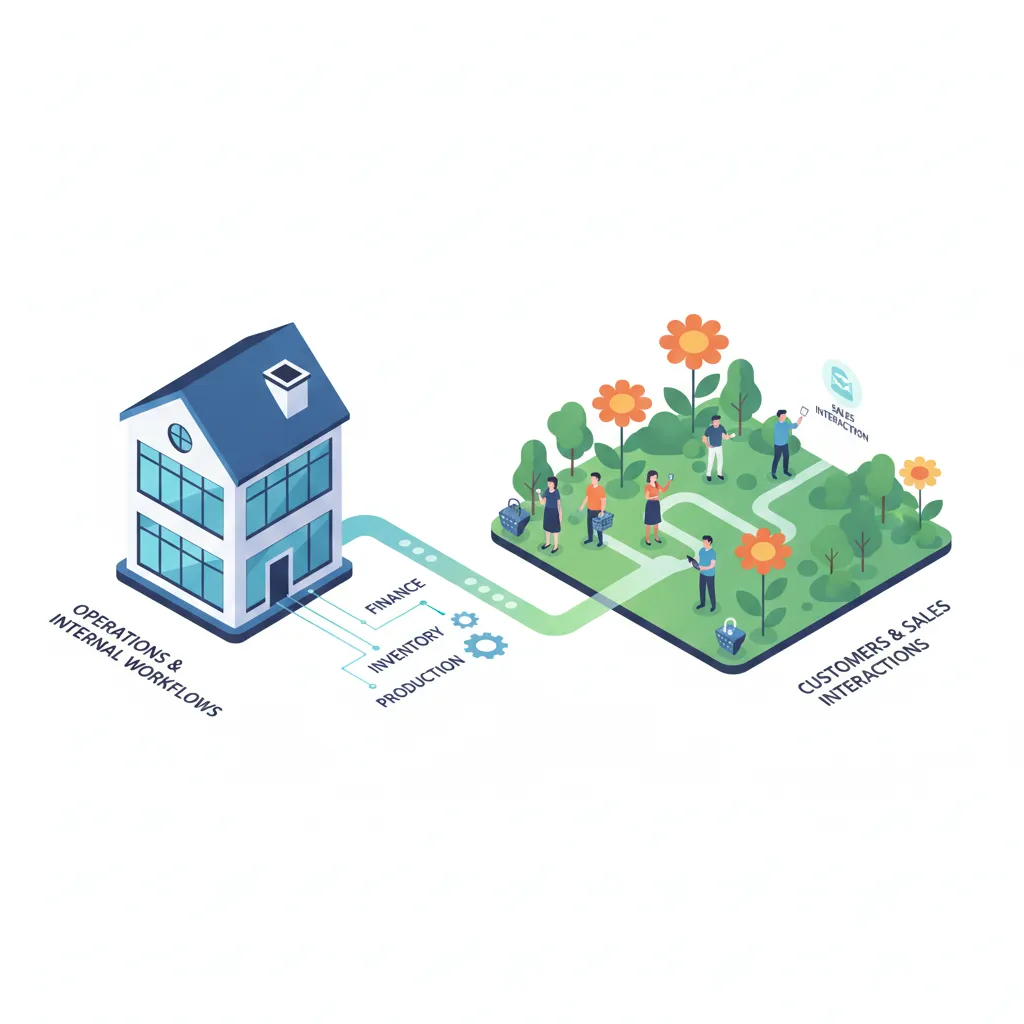
Think of your business like a big house with a large garden.
The main house is where your teams live like a family. Everyone has their own room, yet everything is coordinated by the head of the family. Information flows easily. Tasks are clear. When everyone works together, the house feels like home.
This is your ERP.
The garden outside is where your buyers and guests come in. Some may just peek from the gate. Some ring the bell. Some walk straight to the door. Your sales team is responsible for greeting them, speaking with them and making sure no visitor feels ignored.
That is your CRM.
Now imagine you do not have an ERP.
It is like all departments living as tenants in a hostel. Everyone is doing their work, but without much coordination. If you want to tell someone at the other end of the hall to lower the speaker volume, you cannot tell them directly. You go to the hostel warden who passes the message along.
There is also a single mailbox on the ground floor. Everyone checks the same mailbox. Messages get mixed up. Sometimes they reach the wrong person. Sometimes they get lost. Nothing feels smooth because nothing is connected.
ERP fixes this. It brings everyone back under one roof.
What Is ERP
ERP is like the cousin who keeps every family member connected. When the family lives under one roof and the communication is clear, everything becomes transparent. Work moves faster. Information flows easily. Decisions become simple.
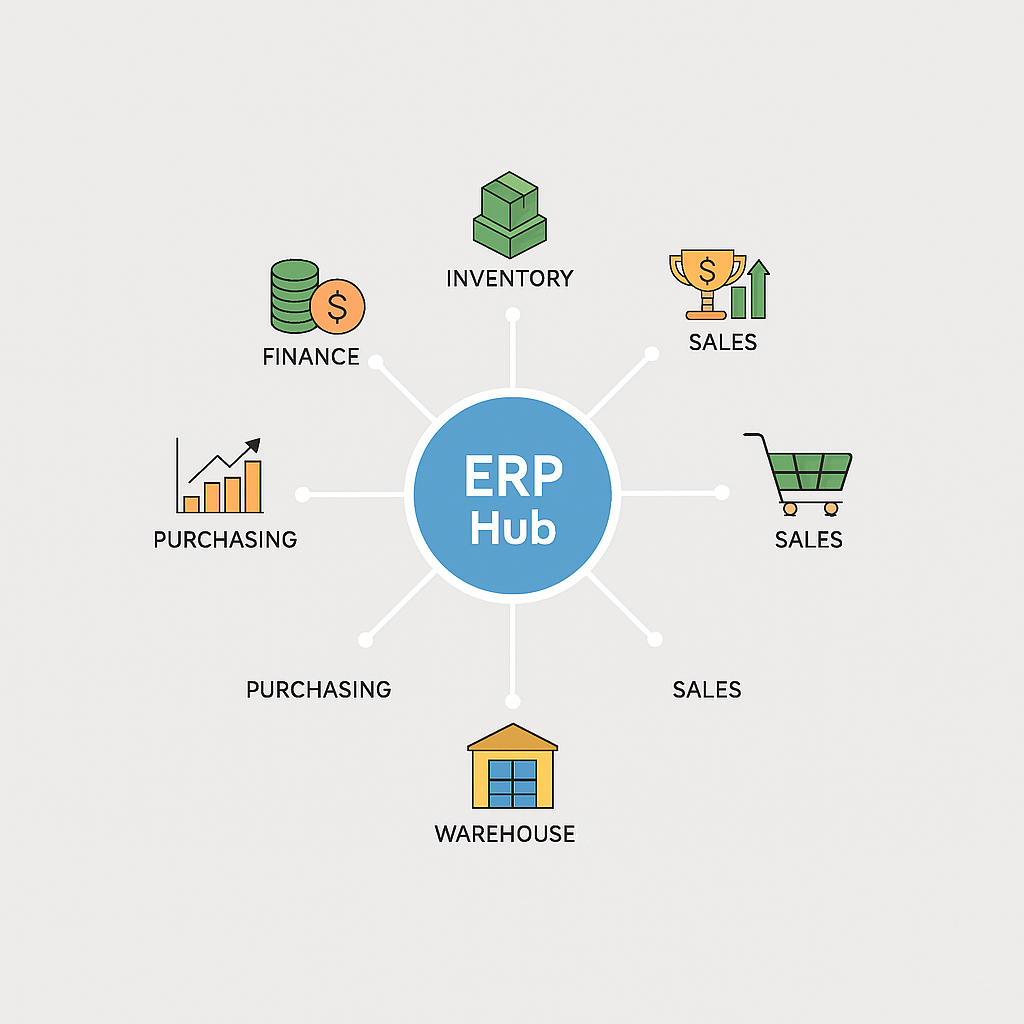
In business terms, ERP supports:
- finance
- inventory
- purchasing
- warehousing
- sales orders
- operations
It is the internal backbone of the business.
What Is CRM
CRM is like the family member who stands at the gate and manages every visitor. They know every guest by name. They remember past interactions. They follow up with the ones who said they would return. They make sure no guest is forgotten.
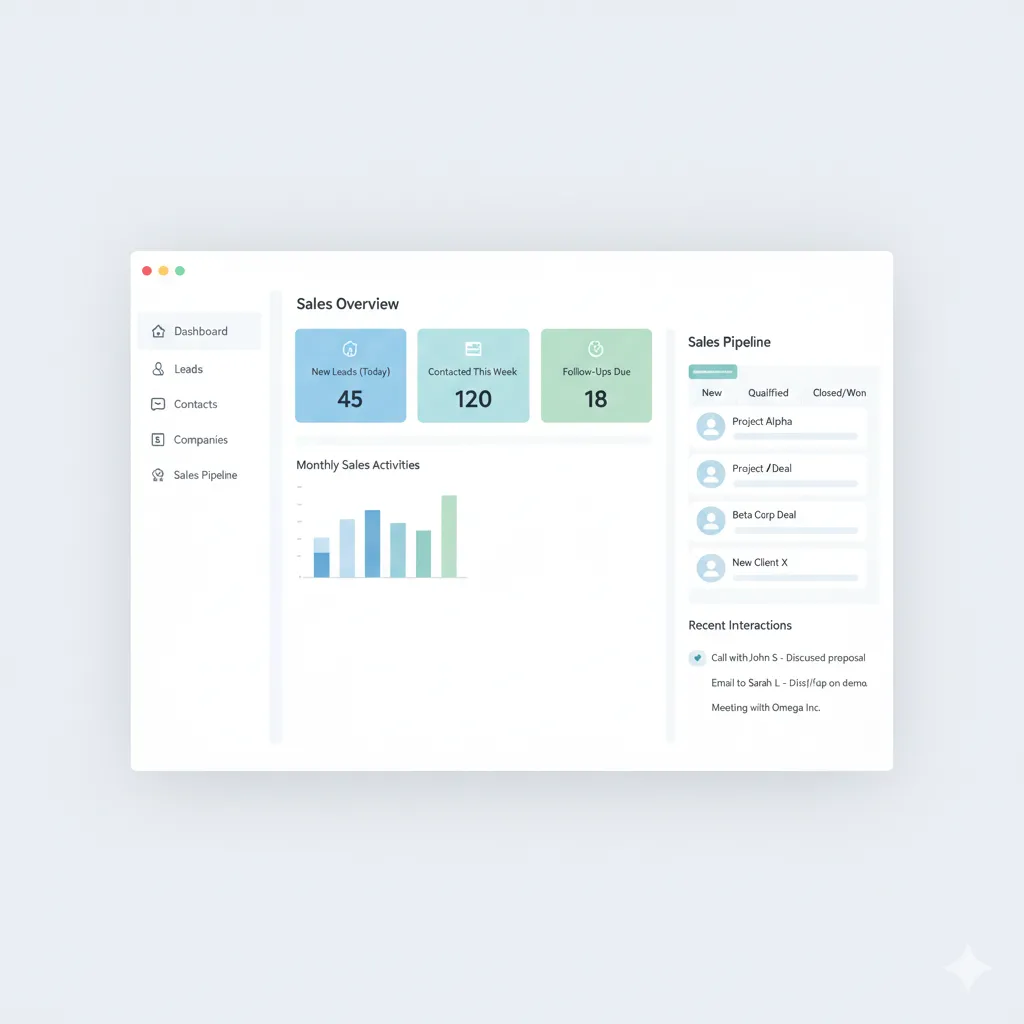
In business terms, CRM helps you:
- track leads
- manage customer conversations
- keep records of every interaction
- follow up on time
- build long term relationships
If ERP keeps your family organized inside the house, CRM keeps your guests engaged outside the house.
How ERP Works Inside the Business
ERP is the brain of your business. Just like the human brain coordinates all parts of the body, ERP keeps every department aligned. Finance, sales, inventory, purchasing, projects and even CRM. Everything flows through one central system.
This is the advantage of being in the Microsoft ecosystem.
Business Central becomes the main house where every member is connected. CRM is the guest facing area but still part of the same property. Nothing is isolated. Nothing is lost in communication. Everyone works with the same information at the same time.
ERP brings everyone under one roof and creates a clean path for information. This is how operations become predictable, accurate and scalable.
ERP Functionality for the Growing SMB
To understand the true power of ERP, it helps to look closer at what each module improves inside the house. For US SMBs, this means replacing manual work with unified and automated processes.

1. Financial Management and Reporting
The core of any ERP is real time financial data. It centralises the general ledger, accounts payable and accounts receivable.
Forecasting: ERP uses unified data such as expenses, sales orders and inventory value to create accurate financial forecasts. This helps SMBs plan capital and secure funding.
Compliance: It simplifies tax reporting and ensures accuracy by creating an auditable trail for every transaction.
2. Inventory and Supply Chain Control
This is where ERP saves money by removing guesswork.
Costing: ERP tracks the true cost of goods sold, including freight and storage, giving you accurate profit margins.
Warehouse Management: For businesses with multiple storage locations, ERP provides bin level tracking and optimizes pick and pack routes, improving fulfilment speed.
Demand Planning: By analyzing order history and seasonal trends, ERP suggests when and how much to reorder, preventing stockouts and overstock.
3. Streamlined Order to Cash
ERP automates the internal steps required to convert a sales order into cash.
- The order is confirmed
- Inventory is allocated
- Purchase orders are created when needed
- Invoices are generated and sent on shipment
This reduces errors and speeds up delivery.
How CRM Helps You Grow
Let’s be honest. No one has a perfect memory. We forget birthdays, anniversaries and even important dates for our loved ones. So, forgetting a meeting scheduled in January for June is not surprising at all.
This is where CRM becomes your personal assistant.
- CRM remembers every conversation.
- CRM reminds you of every follow up.
- CRM tracks dates and customer requests.
- It makes sure no relationship slips through the cracks.
When customers feel remembered, they feel valued.
When sales teams follow up on time, deals move faster.
When every interaction is recorded, communication becomes clear.
CRM does not just track leads. It helps build long term relationships and consistent growth.
CRM capabilities for sales and service
CRM is much more than storing contact details. It is the engine that helps you convert visitors into loyal clients.
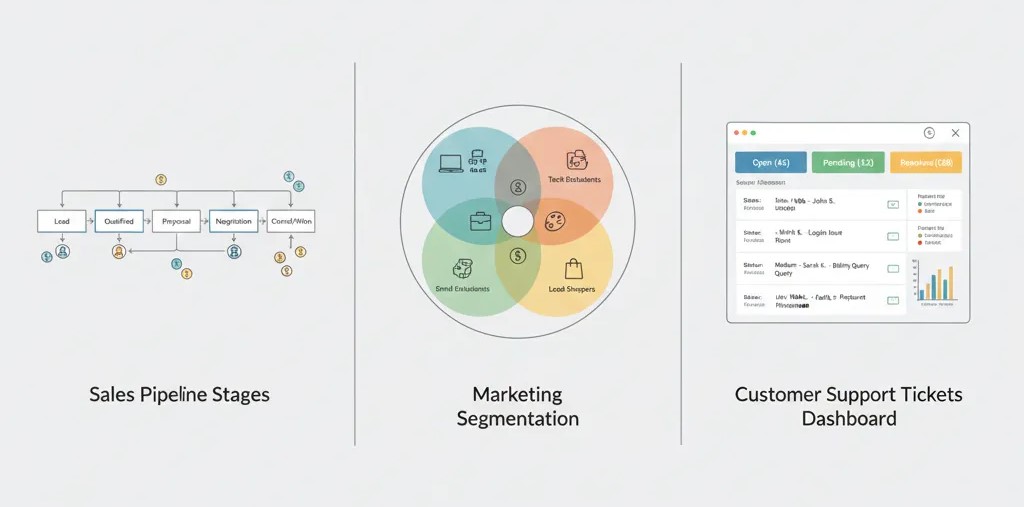
1. Sales Pipeline Management
CRM gives a visual map of every lead and where they stand in the process.
Lead Scoring: CRM ranks leads based on their activity such as website visits or email opens, helping teams prioritize the most ready prospects.
Pipeline Visibility: Managers can see where deals are stuck and guide the team based on real data.
Accurate Quotes: CRM allows sales reps to create consistent quotes using templates, maintaining accuracy in pricing and branding.
2. Marketing Automation
CRM connects marketing efforts directly to revenue.
Personalization: It segments customers based on their history and engagement so campaigns feel relevant and targeted.
ROI Tracking: CRM shows which channels produce the best leads and the most revenue, helping you invest in the right places.
3. Customer Service and Retention
A strong CRM turns service issues into opportunities for loyalty.
Case Management: Every inquiry becomes a case, preventing missed questions and improving response quality.
Unified View: When a customer calls, service agents can see their past interactions and purchase history. This creates faster and more informed support.
When You Need CRM First
This happens when your internal operations are stable enough but the customer facing side is where the friction appears. A retail brand we worked with had this exact challenge.

They had steady footfall and a good product range. Their inventory system was basic but functional. Yet they were losing customers before the sale even happened.
They had no single system to track website enquiries, store visits or social media leads. Each store used its own notes and managers relied on memory. Customers were not getting timely responses and loyal buyers were not remembered across locations.
The real issue was happening in the garden, not inside the house.
We recommended CRM first.
With CRM, every lead became visible, every customer history stayed in one place and follow ups became consistent. Their conversion rate increased simply because they stopped losing customers due to missed communication.
ERP was still part of their long term plan, but CRM gave the immediate impact they needed.
When You Need ERP First
This happens when your internal operations are more chaotic than your sales process. A construction company we worked with faced this exact situation.
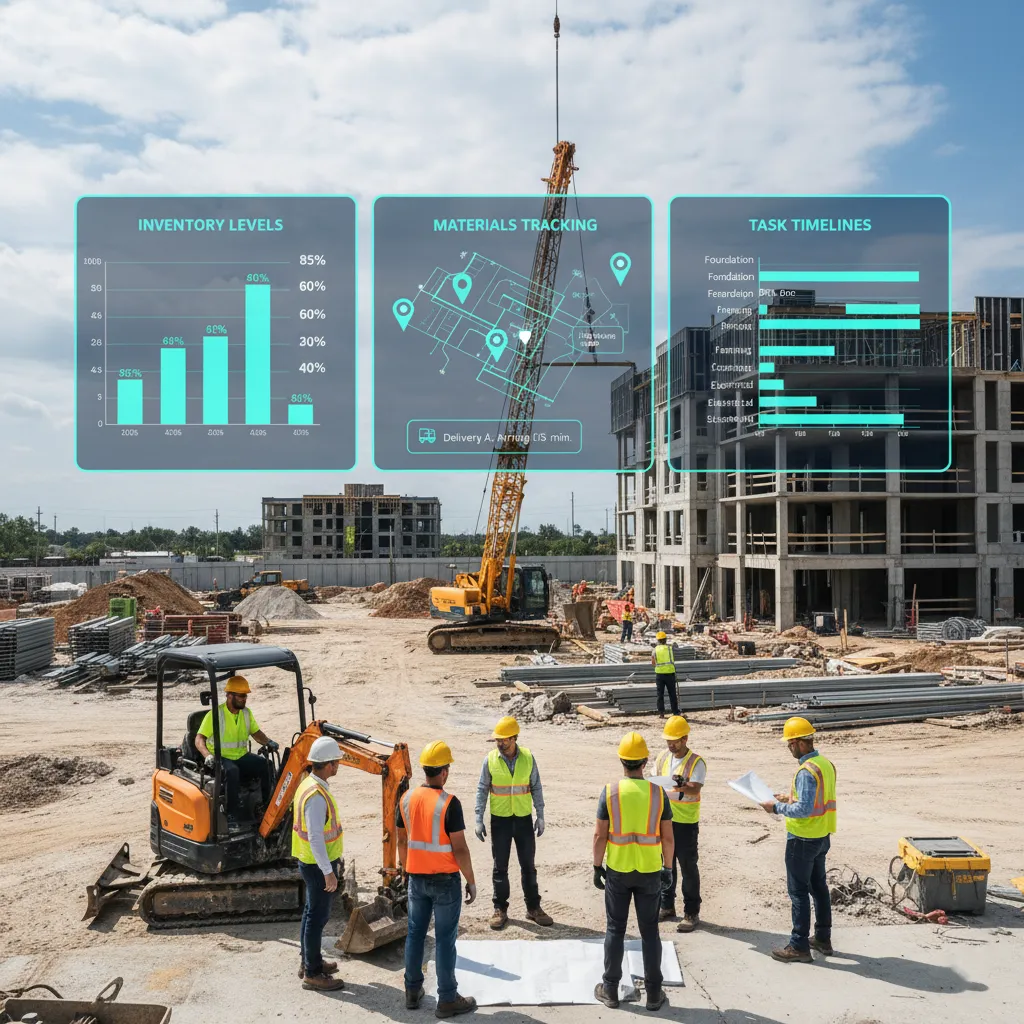
- They had two sides to their business.
- The builder team handled materials and project timelines.
- The business team worked with four to five brokers who brought most of the sales.
On the surface, it looked like a CRM problem. They wanted to track broker activities and customer interactions. But once we reviewed their operations, the real friction became clear. They had mixed inventories, delayed material updates, wrong communication between teams and late property deliveries. These internal issues directly impacted sales interactions.
The real problem was inside the house.
We recommended starting with ERP, specifically Business Central.
For the sales side, we built a simple Power Apps tool that brokers could use to update property visits and sales. The builder team got updates instantly, keeping everyone aligned without needing a full CRM.
By fixing the internal structure first, their customer experience improved naturally.
When Your Business Needs Both
As businesses grow, both internal operations and customer relationships need equal attention. This is when ERP and CRM work best together.
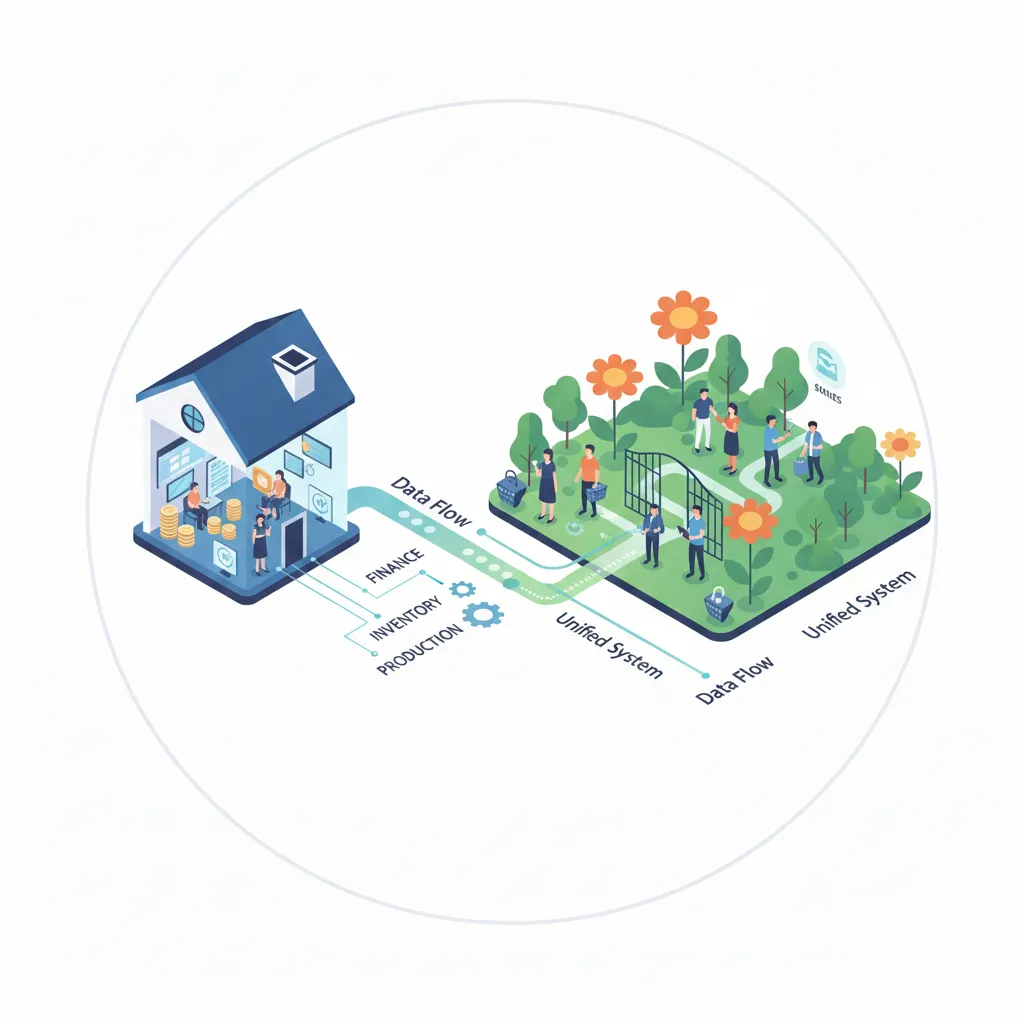
- ERP makes the house stable and organised.
- CRM keeps the garden active and well managed.
- Together they create a complete and connected property.
You need both when:
- you want a clear view from lead to cash
- sales teams need real stock and price information
- finance wants clean sales data
- operations need better forecasting
- customer experience depends on both communication and fulfilment
- you are scaling to more products, locations or teams
When ERP and CRM work together, every team sees the same information and every process becomes smoother.
Final Thoughts
ERP and CRM are not just services or software. They are solutions to the biggest hurdles in your business. One keeps your house organised from within. The other strengthens your relationships outside the house. Choosing where to start depends entirely on the friction you are facing today.
If customers are slipping away, begin with CRM.
If operations feel scattered, begin with ERP.
If you want clarity from the moment a lead arrives to the moment an invoice is paid, bring both together.
When your internal processes and customer relationships work in harmony, your business becomes stable, predictable and ready to scale.
If you are still feeling unsure about what your business needs first, our team can help you evaluate your current workflow and recommend what will create the most meaningful improvement. The goal is not to sell you a system but to guide you toward the right solution for where you are today.